Every engineering organization has automated workflows of some kind. Infra or code deployments, database migrations, background jobs, and so on… Historically, it has been cumbersome to give automated workflows access to servers and databases that live in private networks such as private VPCs in AWS, not accessible through the Internet.
Today, Border0 is releasing inbound Identity Federation support, making it extremely easy for automated workflows to talk to servers in private networks, all with zero static or long-lived credentials.
What is Identity Federation?
Identity federation is fancy-talk for a service provider (in this case Border0) letting another service provider (in this case GitHub, GitLab, CircleCI, AWS, etc) become the source of identity for authentication.
This feature enables a ton of real-world use cases including:
• Allow GitHub, GitLab, CircleCI workflows to talk to servers/databases in private networks
• Allow GitHub, GitLab, CicleCI workflows to manage Border0 resources, e.g. terraform for sockets, policies, connectors, etc
• Allow machines in AWS to use their IAM roles to talk to servers/databases in private networks whether within or outside of AWS
How does it work?
It’s not all that complicated. Services (like GitHub) issue cryptographically signed tokens to workflows. Workflows then give those tokens to Border0, which verifies that they are indeed signed by a service that you’ve told Border0 to trust (GitHub in this case). Once this verification is complete, Border0 issues your workflow short-lived Border0 credentials.
┌─────────────────┐
│  GitHub Actions │
│   (or CI/CD)    │
└────────┬────────┘
         │
         │ 1. Request OIDC token
         ▼
┌─────────────────┐
│  GitHub IdP     │
│  (OIDC Issuer)  │
└────────┬────────┘
         │
         │ 2. Return OIDC token
         ▼
┌─────────────────┐
│  Border0 API    │
│  /auth/web_     │
│  identity/      │
│  exchange       │
└────────┬────────┘
         │
         │ 3. Validate & Exchange
         │    - Verify token signature
         │    - Check issuer/subject
         │    - Match federation rules
         │
         ▼
┌─────────────────┐
│  Border0 Token  │
│  (short-lived)  │
└─────────────────┘
Your workflows can then use this token just like any other service account token, whether to configure networking and talk to your private resources, or to manage Border0 sockets and policies.
Getting Started - GitHub Actions Example
Setting up identity federation for a workflow consists of two simple steps.
1) Set up an Identity Federation Rule for a Service Account in Border0
First, create a service account. For this example I’ve created the service account “github-actions” in my personal Border0 organization “adriano-vpn”.
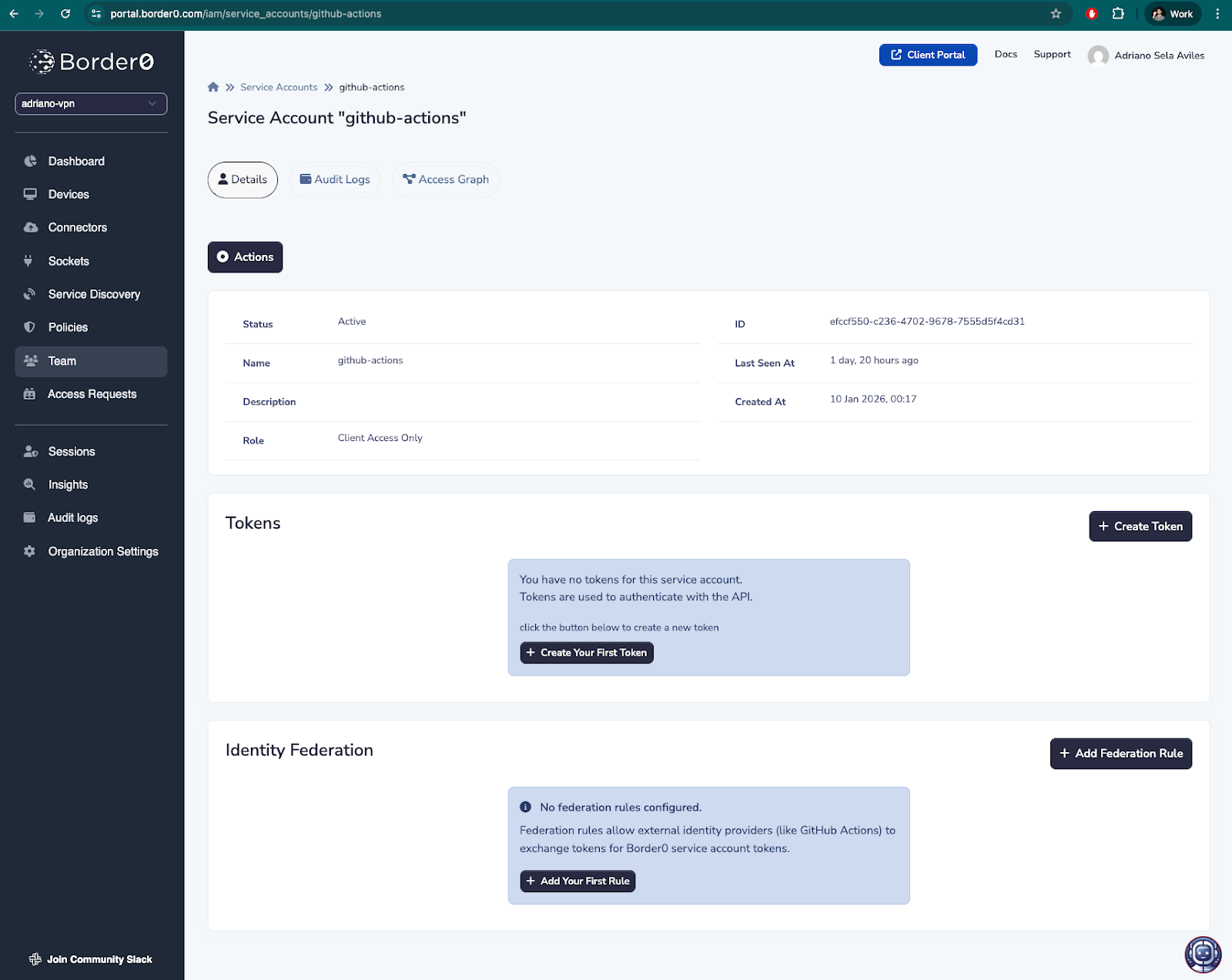
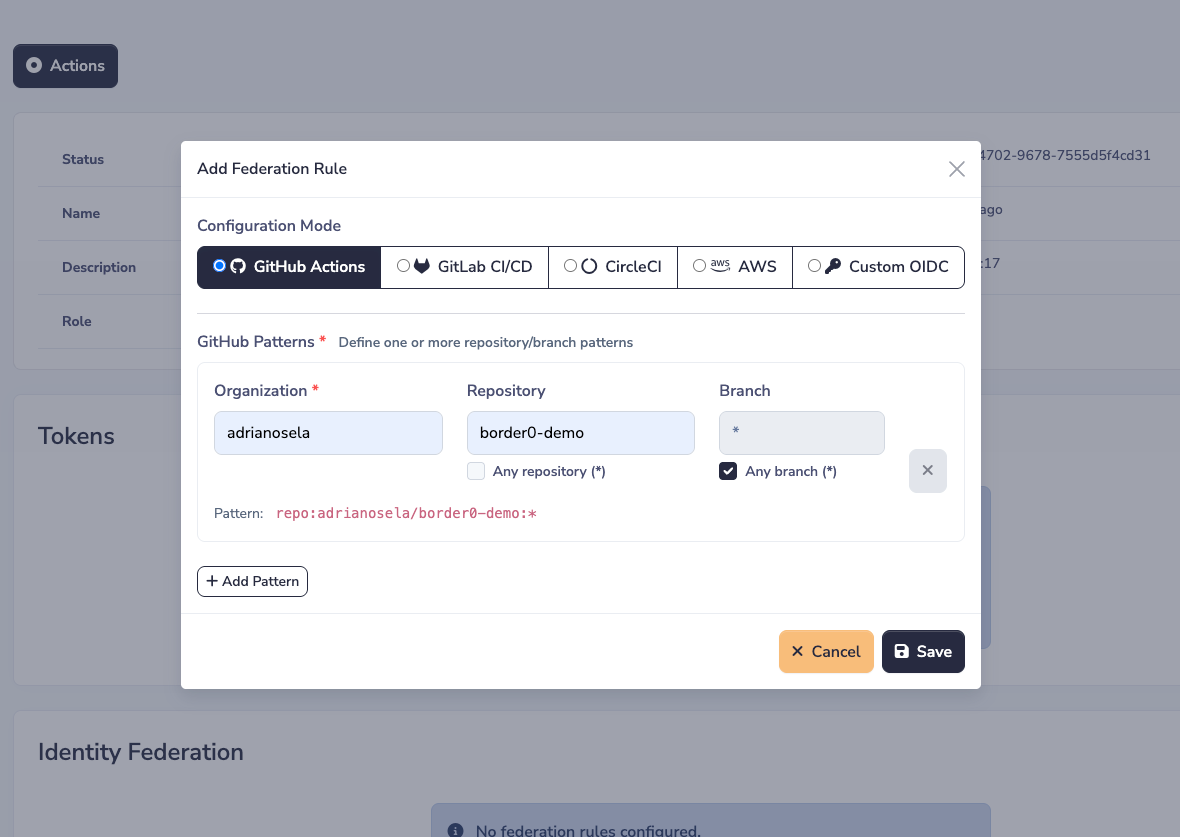
Then, in the service account’s page, click on “+ Add Federation Rule”. Define your rule as desired. For this example, I want to allow my service account to be used by GitHub actions, so I’ve defined a rule to allow the GitHub organization “adrianosela” and GitHub repository “border0-demo” to exchange their GitHub credentials for Border0 tokens for this service account.
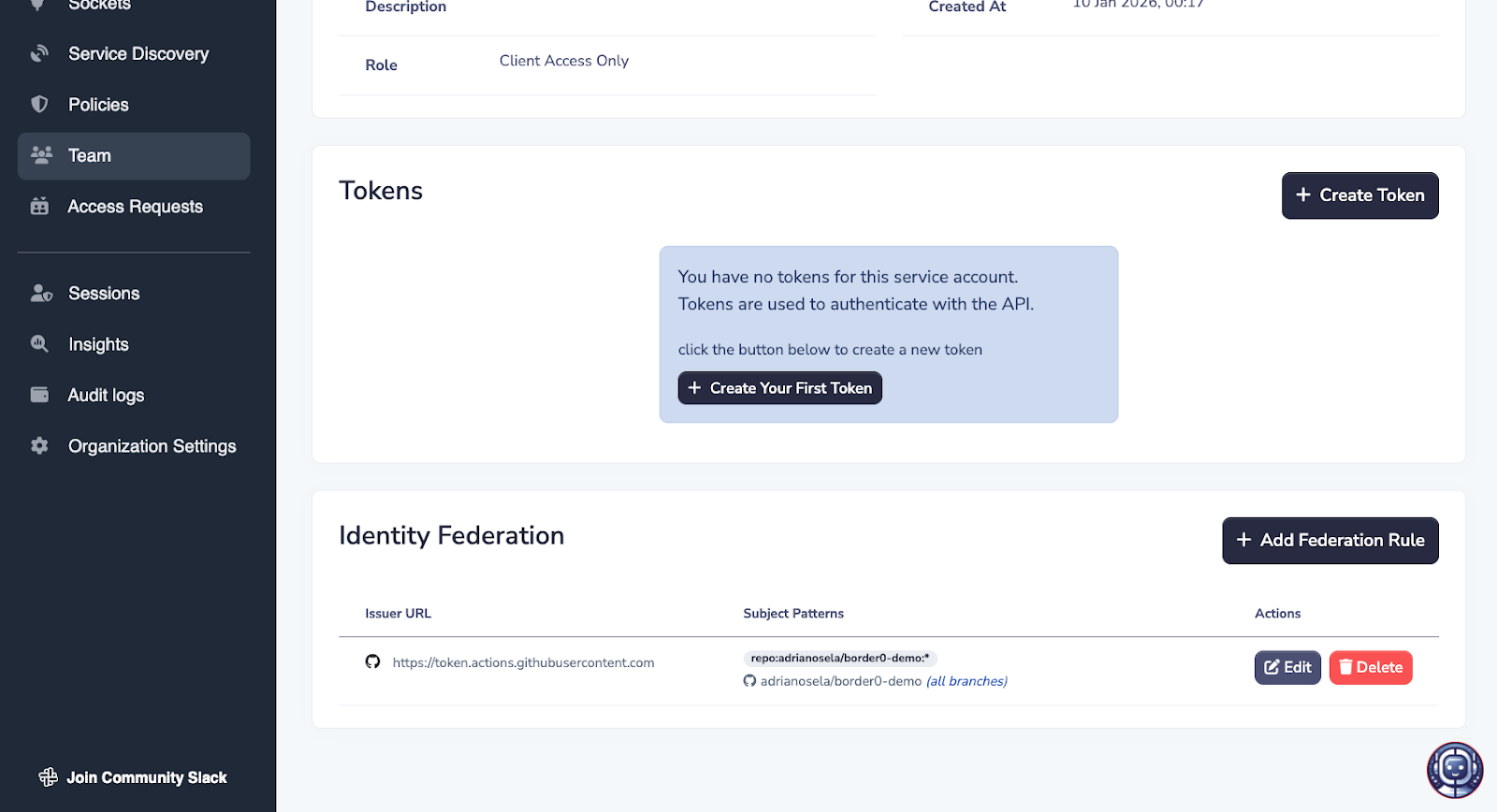
After hitting the save button, you should see a new Identity Federation rule appear in the table at the bottom of the page.
2) Configure your workflow to exchange its credentials for Border0 credentials
You may reference the official borderzero/configure-border0-network GitHub action in your workflows.
Note that I’ve configured the action with my border0-org-subdomain “adriano-vpn” and my border0-svc-account-name “github-actions”.
jobs:
  run-example:
    runs-on: ubuntu-latest
    permissions:
      id-token: write
      contents: read
    steps:
      - name: Start Border0 VPN
        id: border0-vpn
        uses: borderzero/configure-border0-network@v0.0.2
        with:
          border0-org-subdomain: adriano-vpn
          border0-svc-account-name: github-actions

      - name: Install MySQL client
        run: |
          sudo apt-get update
          sudo apt-get install -y mysql-client

      - name: Query MySQL database via Border0
        run: |
          echo "Querying MySQL database at test-mysql-server..."
          mysql -h test-mysql-server books -e "SELECT * FROM authors;"

      - name: Stop Border0 VPN
        if: always()
        run: bash ${{ steps.border0-vpn.outputs.cleanup-script }}
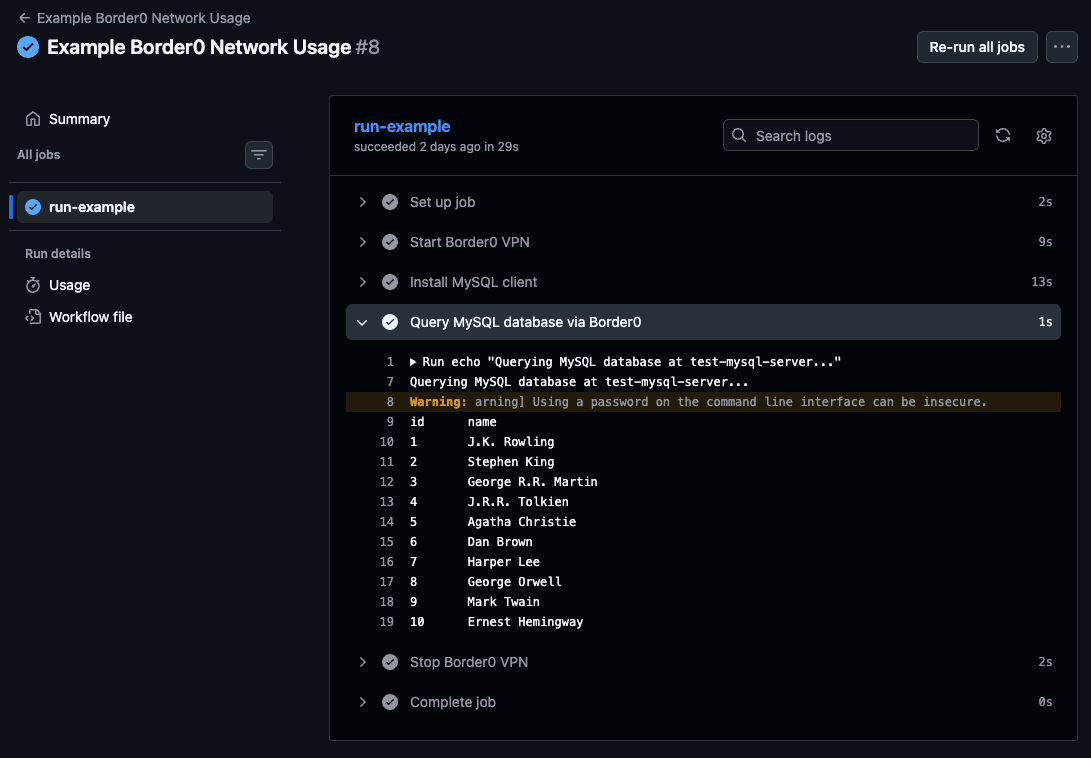
In this particular example, after setting up Border0 networking, my workflow is querying a database socket “test-mysql-server” with SELECT * FROM authors;, which should list all rows in the “authors” table.
3) You are done - run the workflow!
See that the GitHub action workflow was able to query my database. A database that sits in a private network, behind Border0.
See it in action!
Why use Identity Federation?
Identity federation is wonderful. It favors establishment of trust-relationships and short-lived credentials, rather than the old way of doing things: creating long-lived API keys, provisioning those as secrets in your CI/CD, and remembering to rotate those in accordance with your company’s policies… or worse, not rotating them at all.
We drew inspiration from AWS to build this feature. AWS identity federation allows us to manage internal Border0 infrastructure with GitHub Actions, without managing and provisioning static AWS credentials. We wanted to provide a similar UX to our customers.
Let's get started!
We're really excited about this new feature, because we believe in streamlining your IT operations and leaving annoying tasks to the computers!
Identity Federation is available now, so you can eliminate those long-lived credentials in your CI pipeline today! Check out our documentation for more info, or drop us a line at sales@border0.com for a personalized demo.
Try Border0 today and experience access that’s more secure, more convenient, and finally works the way it should.


.png)

.png)

Ready to level up
your security?