AWS S3 is a great storage service for binaries, code, log files, and all sorts of engineering artefacts. As a general-purpose file storage? Ehhhh… not so much.
The problem with S3 is that if you want authentication, you’ll have to deal with AWS IAM. AWS IAM is excessively complicated when all you really want is to give someone the ability to browse an S3 bucket. Especially if you want to give them temporary or just-in-time access. You don’t really want to go through the hassle of setting up AWS IAM roles for them, just to have to go clean it up afterwards. Or maybe you want to give S3 access to a contractor, but they do not exist in your identity provider.
In the real world, what ends up happening is either (1) you create a static IAM user with long-lived access keys (fast, but not ideal), or (2) you go all-in on “proper IAM” with roles, trust policies, federation/SSO, and temporary credentials, which is technically correct but takes real time and effort.
Today, Border0 is introducing a better alternative.
Introducing the AWS S3 Socket
The new AWS S3 socket allows you set-up simple access management for S3 buckets.
Giving access to an employee or contractor is as simple as inviting them to your Border0 organization and adding them to a policy that is linked to the AWS S3 socket. Or even better, create an approval workflow, so that they can request short-lived access to the S3 bucket as needed.
In both cases, you can restrict access to specific buckets and objects, and limit actions to list, read, write, or delete.
Once access is granted, users will be able to browse the S3 bucket content using either the native CLI tooling they're used to (like the AWS CLI) or Border0's S3 browser, built directly into the Client Portal.
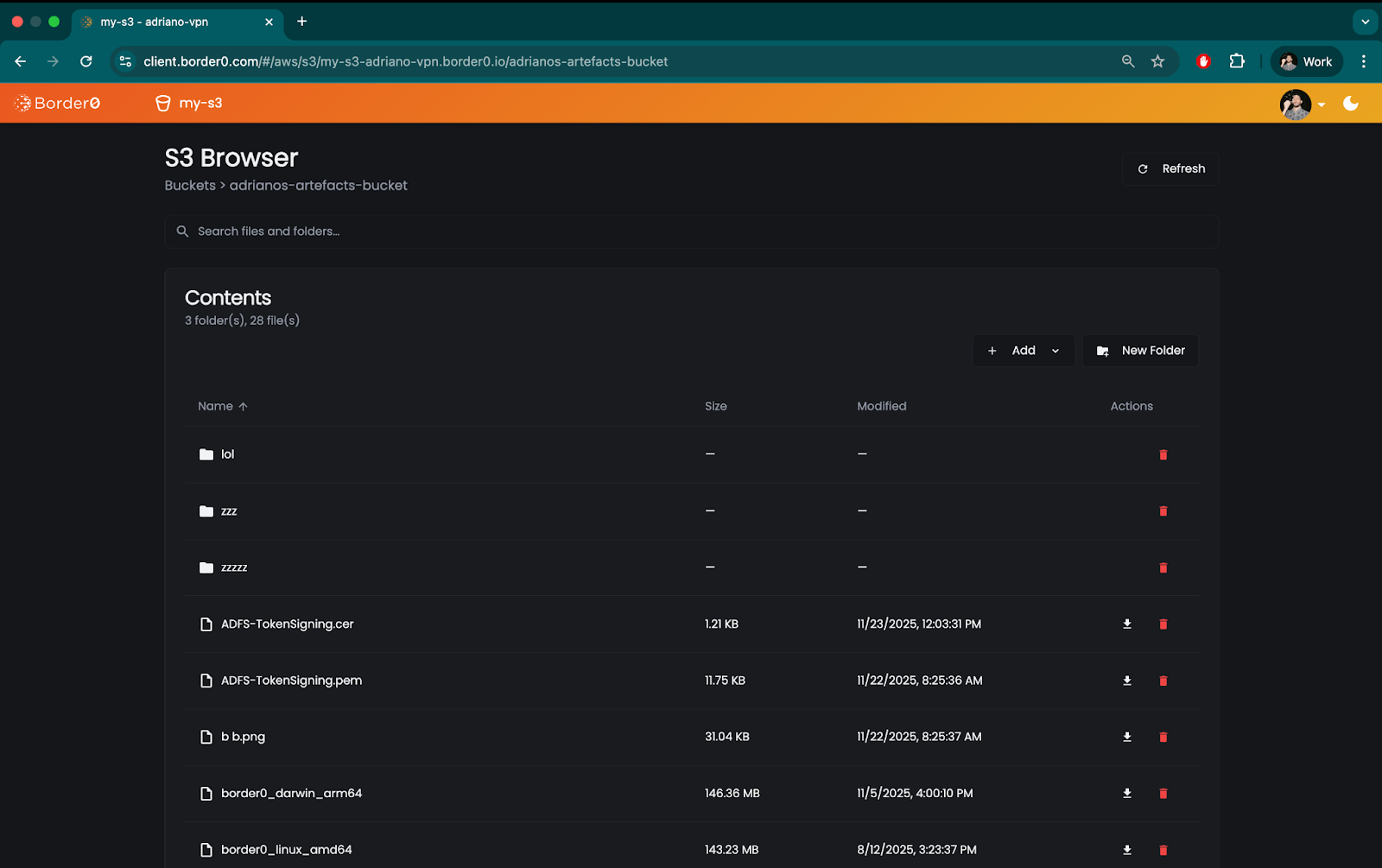
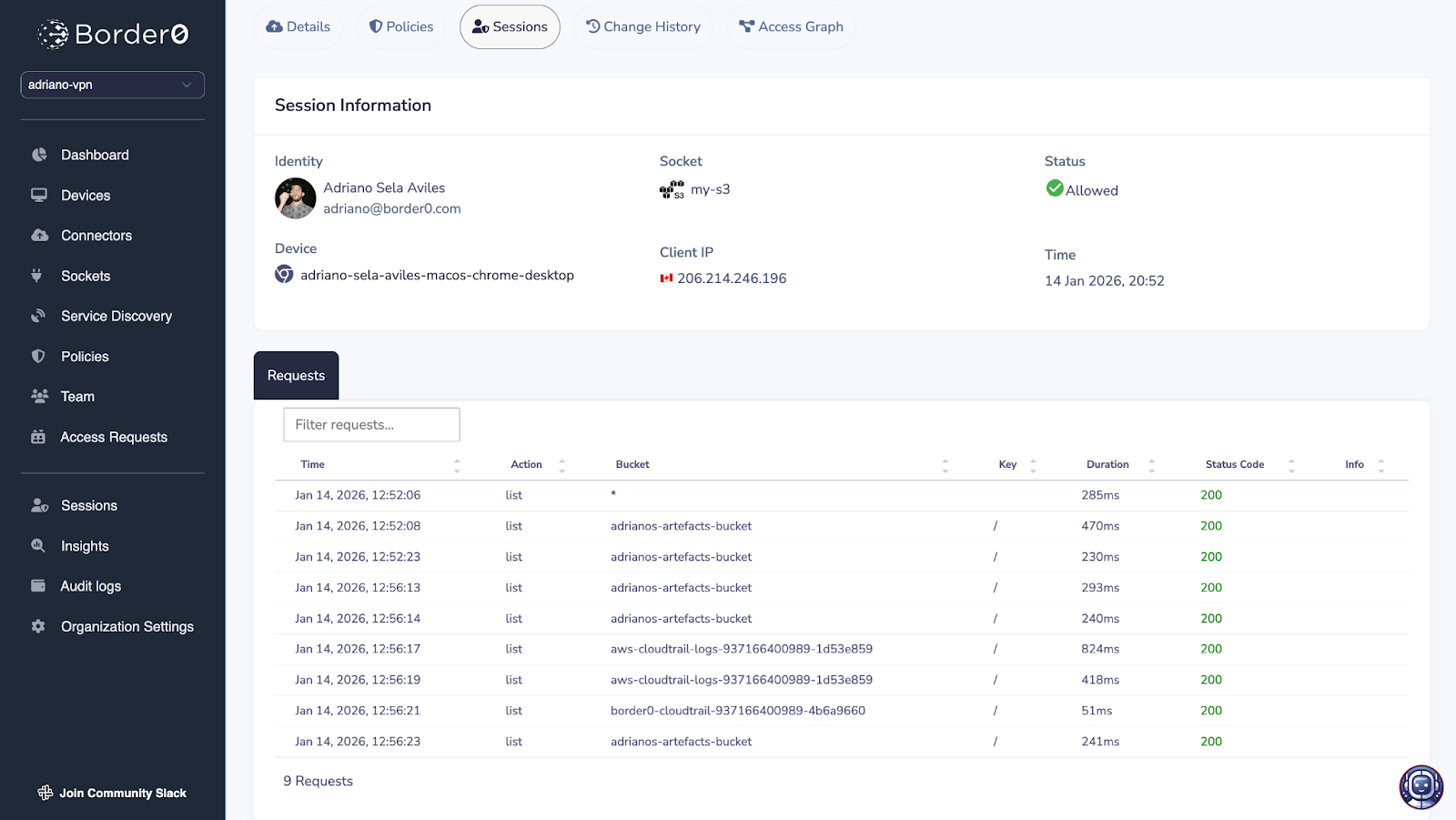
All activity over the socket is recorded and available in the sessions log page of the Border0 Admin Portal, making it possible for administrators to review.
How Does it Work?
For AWS S3 sockets, your Border0 Connector proxies all AWS S3 API requests. So from the perspective of AWS, it is the Connector’s AWS IAM Role who is performing all actions against S3. Permissions and access management is thus moved to Border0.
When the connector sees a request from one of your users, it will ensure the request is allowed by your organization’s policies before forwarding it to AWS. Similarly, anything in the response from AWS S3 that is not allowed by your policies will be filtered out before returning the results to the user.
In both the cases whether access is allowed or denied, the request (and response, if applicable) is logged and recorded in Border0, giving you an exact record of who accessed which buckets and what files they touched.
Getting Started
Getting started with AWS S3 is straightforward. All you need to do to make one or more S3 buckets available over Border0, is to create a new Border0 socket of type AWS S3. Like any other socket, you can do this via the Admin Portal, the CLI, terraform, or directly with the API.
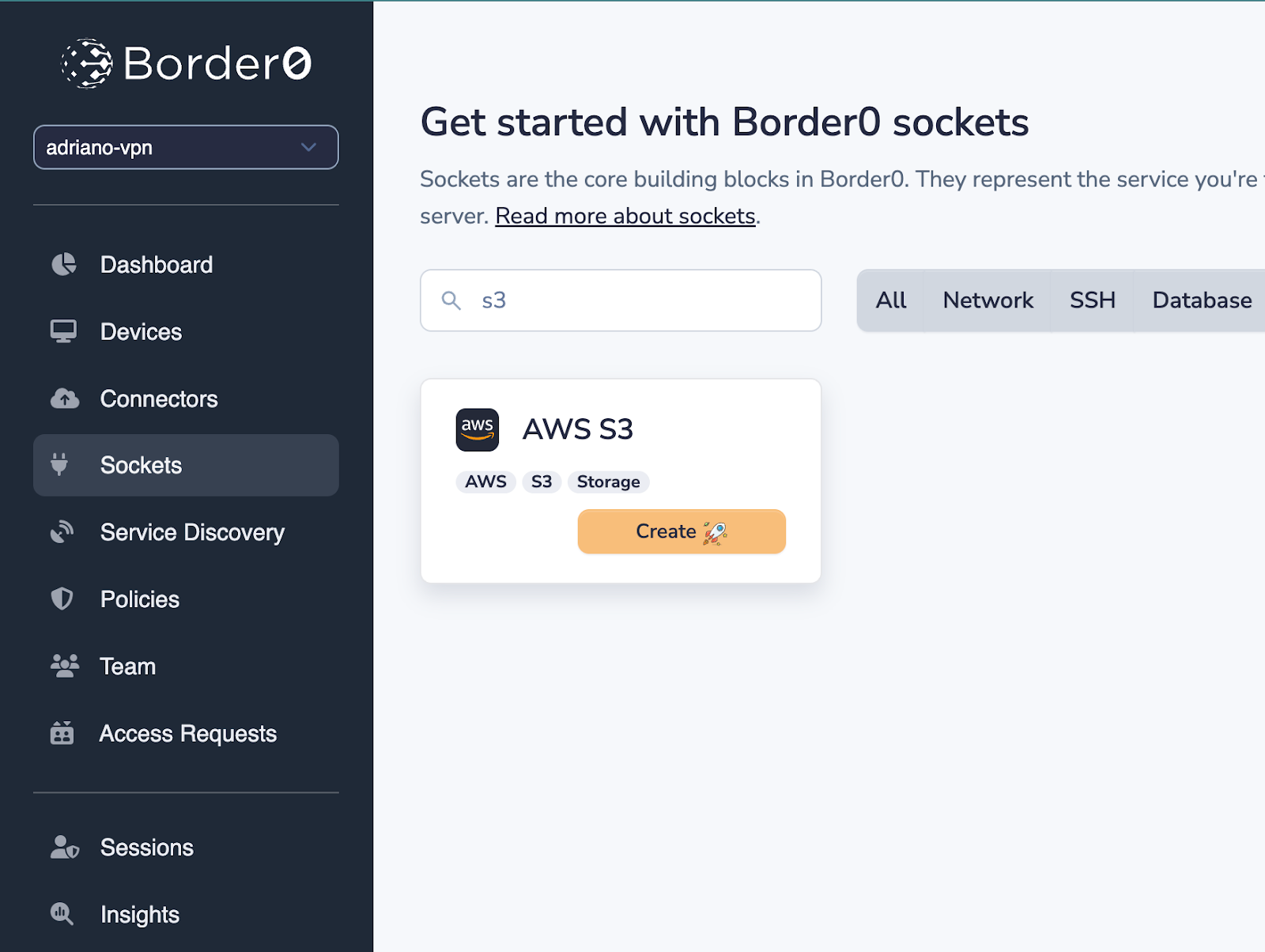
In the Border0 Admin Portal, if you head over to Sockets > Create New Socket, you will see a tile for the new S3 socket type.
Socket configuration consists of (1) an AWS credentials strategy (i.e. how the Border0 connector will authenticate against AWS) and (2) an optional bucket allowlist.
If your connector runs in an AWS EC2 instance, the easiest thing to do is to use the default credentials provider chain, so that the EC2 instance’s role is used for authentication - just make sure the role has permissions for S3!
By default, the socket will make available all buckets it has access to. You may narrow down what bucket(s) is (are) made available by using the allowlist. You may use wildcards in the patterns, for example api-* or *-api.
Select your connector and hit “Save”.
You can then use the Border0’s policy engine to limit who has access to what within buckets made available by the socket.
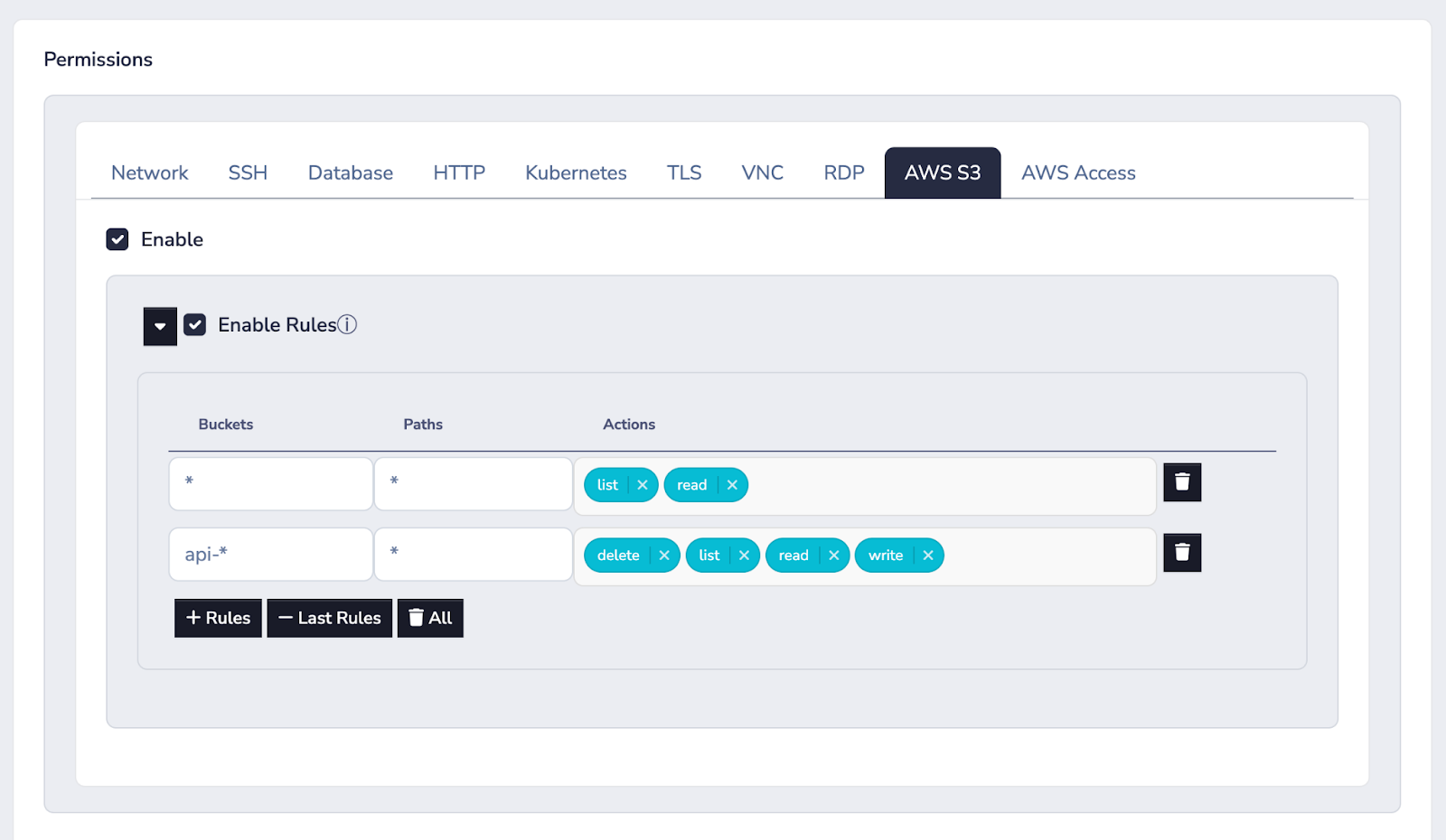
For example, the policy above allows reading and listing any buckets and any paths, as well as any action on any bucket object in buckets prefixed with api-*.
See it in action
Why We Built S3 Access support
Recently, at AWS Re:Invent, out of many conversations with AWS users and potential customers, it became clear to us that AWS IAM was the biggest hurdle which prevented folks from using S3 as a generic storage solution e.g. like a Google Drive or Dropbox. We realized we were well-positioned to solve this problem.
It was clear to us that if we were able to build a beautiful web GUI for end-users, and a simple yet flexible policy language for administrators to manage access, we would be able to solve this problem elegantly.
Grant Temporary Access Easily and Securely
Giving someone access to an S3 bucket shouldn't require a deep dive into AWS IAM. With Border0, you can grant access in seconds, scope it down to specific buckets and actions, set up approval workflows for just-in-time access, and have a full audit trail of everything that happened.
Get started for free and see for yourself.


.png)



Ready to level up
your security?