Today we’re releasing the Border0 iOS app, available now on the App Store for both iPhone and iPad.
Until now, if you needed Border0 on mobile, you were stuck using our web client in a browser. It worked, but let’s be honest. Pinch zooming through a desktop interface on a phone is not anyone’s idea of a good time. Copy pasting SSH commands on a touchscreen is even worse.
So we built something better.
One tap, you’re in
The app shows all your resources, servers, databases, web apps, and Kubernetes clusters, in a clean, native list. Even if you have hundreds of resources, built-in search and filtering make it easy to find what you need quickly.
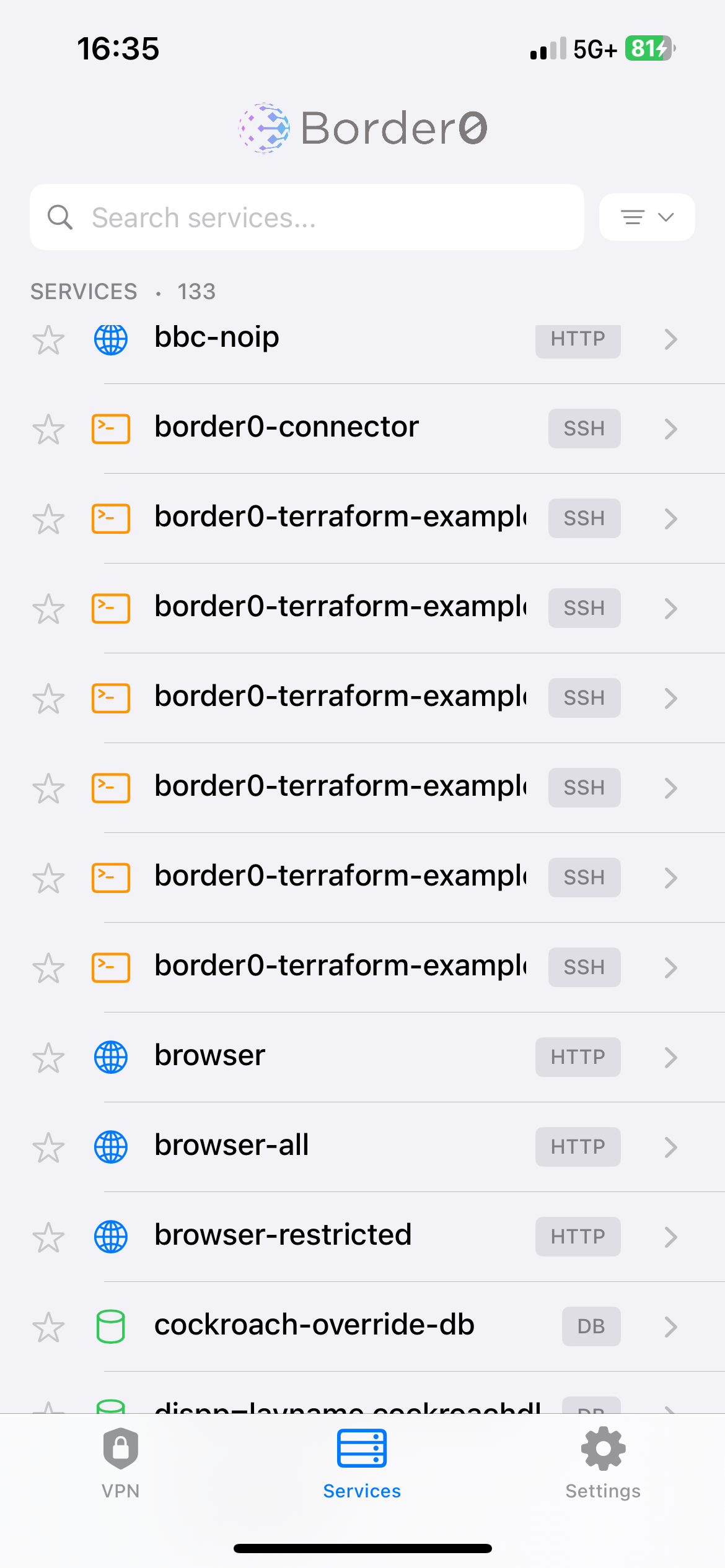
Tap a resource and Border0 hands off the connection to your preferred iOS client.
An SSH server launches Terminus, or Shellfish with credentials already handled. A database opens your MySQL or Postgres client with connection details pre-filled. A web app opens straight in Safari through the Border0 tunnel.
No passwords. No keys. No VPN fiddling. Your SSO identity handles authentication, Border0 handles the secure connection, and you are at a shell prompt in about a second.
This is what we mean by native client support. Your tools and your workflow, we just make them work securely.
Full VPN mode on mobile
Border0’s network mode is now fully supported on iOS.
That includes both exit nodes and subnet routers. Whether you want to route all traffic through a secure egress point or reach private networks via subnet routes, it all works on both iPhone and iPad.
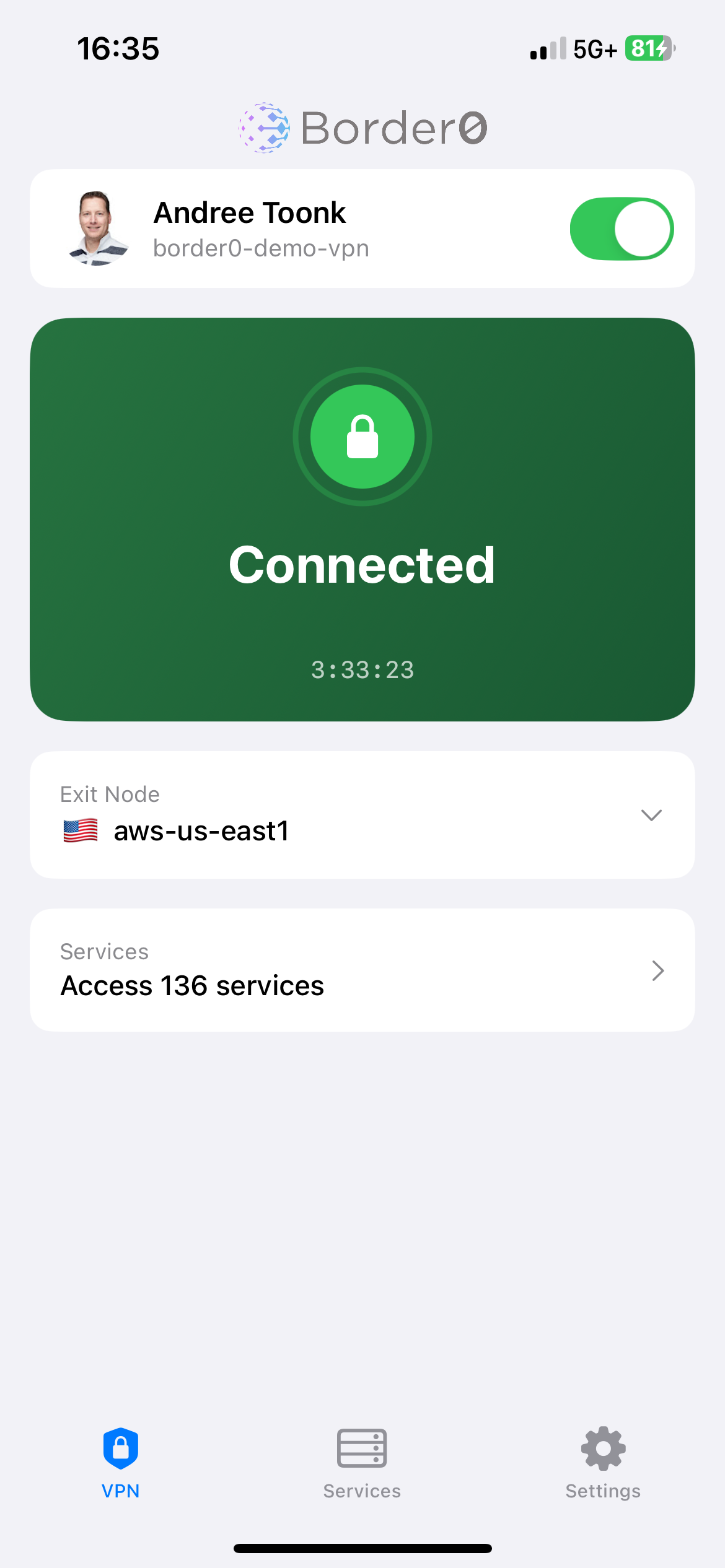
Here’s what that looks like in practice. You are on airport WiFi and need to access an internal dashboard locked to your office IP range. Open the app, select an exit node like “US-East Datacenter” or “Corporate HQ.” Your phone’s traffic now egresses from that location. The internal dashboard sees traffic from a known corporate IP, and you get in.
Subnet routes work the same way. Private networks become reachable from your mobile device without exposing anything publicly or configuring a traditional VPN.
The app handles DNS as well. internal hostnames like wiki.corp.local resolve correctly with no manual configuration required. Split tunneling, full tunnel behavior, routes, and DNS settings all carry over from your existing Border0 configuration.
Under the hood, this uses the same WireGuard-powered tunnels as the desktop client. Fast, modern, and battle tested.
When things go wrong
Mobile troubleshooting usually means guessing. We wanted to fix that.
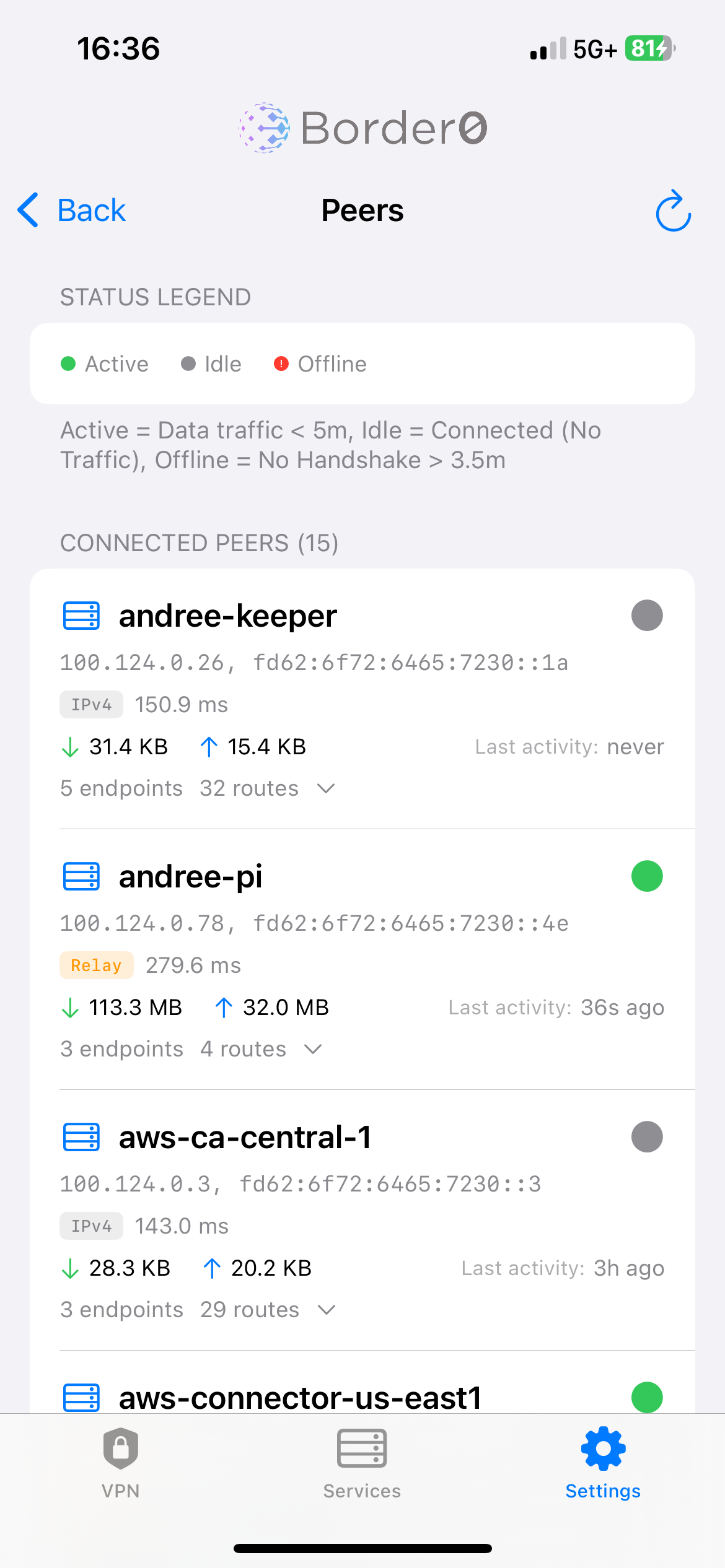
The app includes a status view showing your connection state, which organization you are connected to, whether network mode is active, and which exit node or routes are in use. There is also a logs section with real time activity including successful connections, errors, tunnel status, and DNS resolution.
This is the kind of detail that previously required a laptop and a terminal.
Ideally you never need it. But when something is not connecting at 2am and you are fixing an incident from bed, having real diagnostic data instead of a spinning wheel makes a difference.
The details
We built this as a proper iOS app, not a wrapped web view. That means:
Native navigation that feels right on iOS
• iPad uses a split view layout, iPhone is optimized for one handed use
• Dark mode support
• Face ID and Touch ID login if your IdP supports it
What’s next
This is v1.0, and we are just getting started.
The app is free and available now on the App Store. Download it, sign in with your Border0 account, and let us know what you think. We read every piece of feedback, and it directly shapes what we build next.
As a small preview of what’s ahead, we’ve already started looking at what it would take to bring this same experience to other platforms, including Android.


.png)

.png)

Ready to level up
your security?