More Visual Way to Access Your Resources
At Border0, we've always believed that secure access shouldn't come at the cost of usability. Your tools should make your day easier, not harder.
For a while now, you've had three ways to interact with Border0: through the CLI for command-line enthusiasts, via the tray menu for quick desktop access, or through the web client at client.border0.com for a full-featured browser experience.
Today, we're adding a fourth option: the Border0 Desktop App.
The Problem with Success
Here's what happened. The tray menu has been a favorite among power users since day one. It's lightweight, fast, and perfect for quick connections. Click, connect, done.
But then our customers started doing what customers do: they grew. Suddenly, teams were managing hundreds or thousands of resources. And scrolling through an endless list in a tiny tray window? That's not exactly the peak user experience we're going for.
We needed something built for scale. Something that could handle thousands of servers while still making it dead simple to find and connect to the one you need right now. Different workflows demand different tools. So we built something new.
Enter the Desktop App
The Border0 Desktop App brings the full power of our web client to a native desktop application. Think of it as your client portal living right on your desktop, same look and feel, just faster and more integrated with your system.
Here's what makes it powerful:
Smart Search – Fuzzy search, wildcards, and instant filtering help you find exactly what you need among thousands of resources. Type a few characters, and watch your entire infrastructure narrow down to the one server you want.
Visual Organization – Browse by environment or region from the left-hand sidebar. Switch between list and tile views. Group resources the way you think about them. Everything at a glance, organized your way.
Favorites & Recent – Star your most-used resources for instant access. See your recently accessed resources right at the top. Because you shouldn't have to search for the database you use fifty times a day.
Type-Based Filtering – Need to find all your databases? One click. Looking for Kubernetes clusters in production? Another click. Filter by SSH, HTTP, databases, or any resource type.
Dark Mode – Because of course.
The Magic of One-Click Access
Here's where it gets interesting. The desktop app doesn't just help you find resources, it helps you connect with the tools you already use.
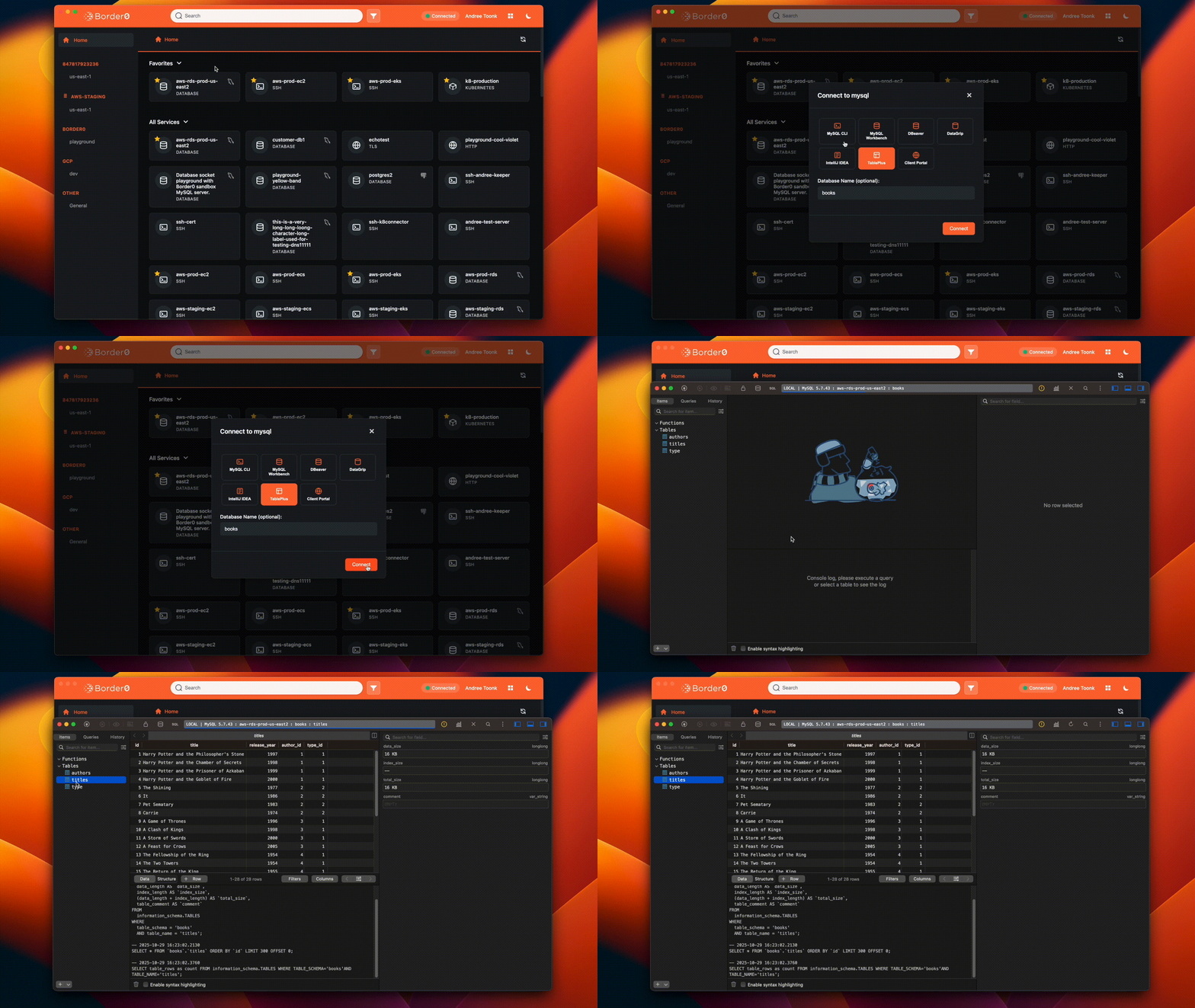
Click on a MySQL server, and we'll show you every MySQL client installed on your machine. TablePlus? Datagrip? MySQL Workbench? They're all there. Pick your favorite and launch with a single click.
The app automatically discovers common database clients, terminal emulators, SSH clients, and other tools on your system. Whether it's MongoDB Compass, psql, your favorite terminal app, or kubectl, we find them all and present them as launch options, and of course, remember your preference for the next time you access this server.
We do the discovery work so you can focus on the actual work.
Four Ways to Border0
With this release, we now offer four distinct ways to connect, each optimized for different scenarios:
The CLI – Perfect for automation, scripting, and those who measure productivity in keystrokes saved.
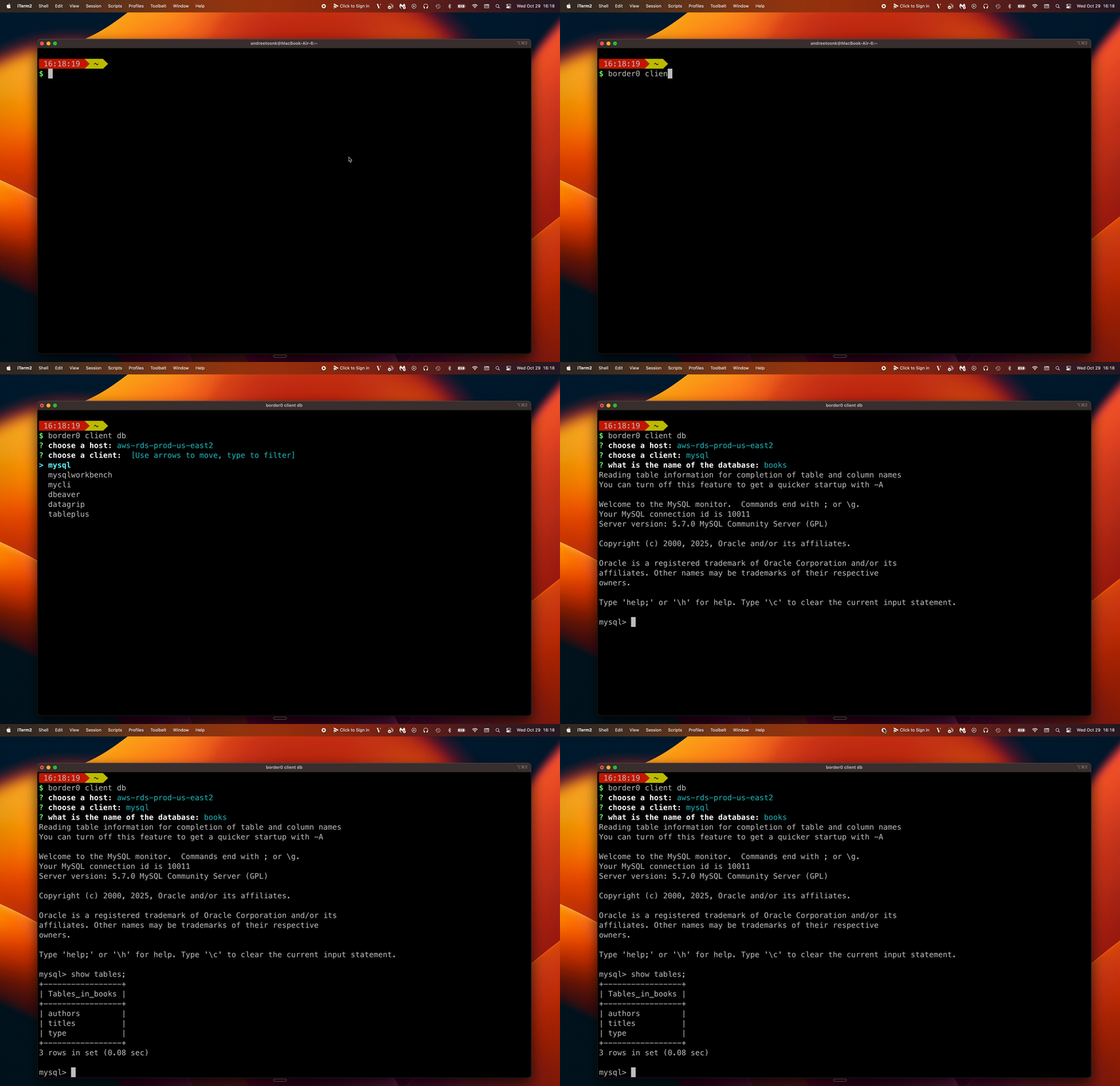
The Tray Menu – Your lightweight companion for quick connections. Still the fastest way to connect when you know exactly where you're going.

The Desktop App – The new power tool. Rich visual interface for when you need to navigate complex infrastructure or discover resources at scale.
The Web Client – Completely clientless access from any browser. Ideal for mobile, shared workstations, or restricted environments.

This isn't about forcing everyone into one workflow. It's about recognizing that the support engineer SSHing into a single server has different needs than the SRE managing a thousand different services. Both deserve tools that work the way they do.
Available Everywhere
The desktop app is available now for macOS, Windows, and Linux.
Just make sure to upgrade to the latest version, grab it from border0.com/download and click "Open App" from your tray menu, which will open the desktop app.
The Philosophy
We could have stopped at one interface. Most companies do. But that would mean asking you to change your workflow to match our design decisions.
Instead, we built four different ways to connect because we believe tools should adapt to people, not the other way around. Start your morning with a quick SSH session from the tray menu. Use the desktop app to navigate production infrastructure during the day. Script your deployments with the CLI. Jump on a customer call and troubleshoot your kubernetes pods from the browser with the web client.
This is what we mean when we say we do the hard work so you don't have to.
Try It Today
The Border0 Desktop App is ready for you now. We're excited to see how it fits into your workflow, especially if you're managing resources at scale.
As always, we'd love your feedback. Drop us a note at support@border0.com or join the conversation in our community Slack.


.png)

.png)

Ready to level up
your security?